Browser archive
Every saved conversation is kept in a local archive inside your browser. Browse it any time, even offline.
For Chrome on desktop
Your ChatGPT and Claude chats, saved automatically to Notion, Obsidian or Markdown. Search them whenever you need them.
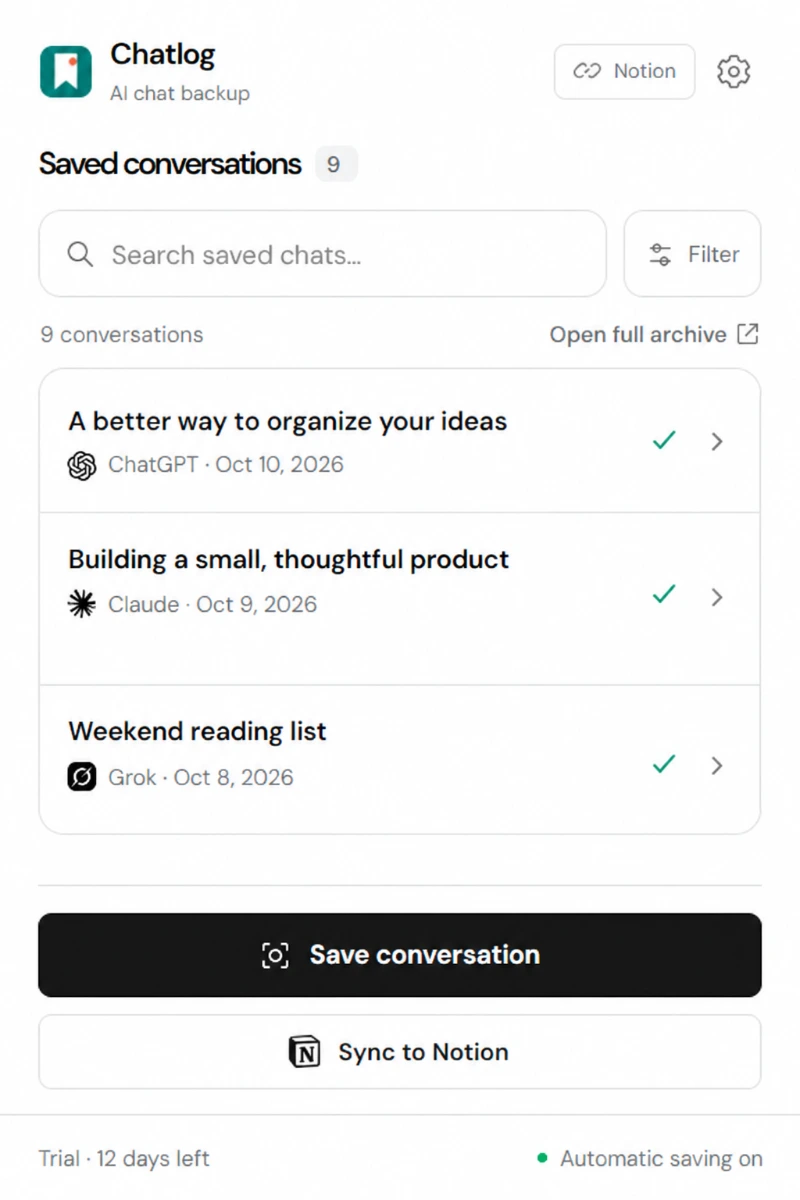
Inside Chatlog
Find the idea you saved. Search across your conversations, open the original, or keep a copy in your notes.
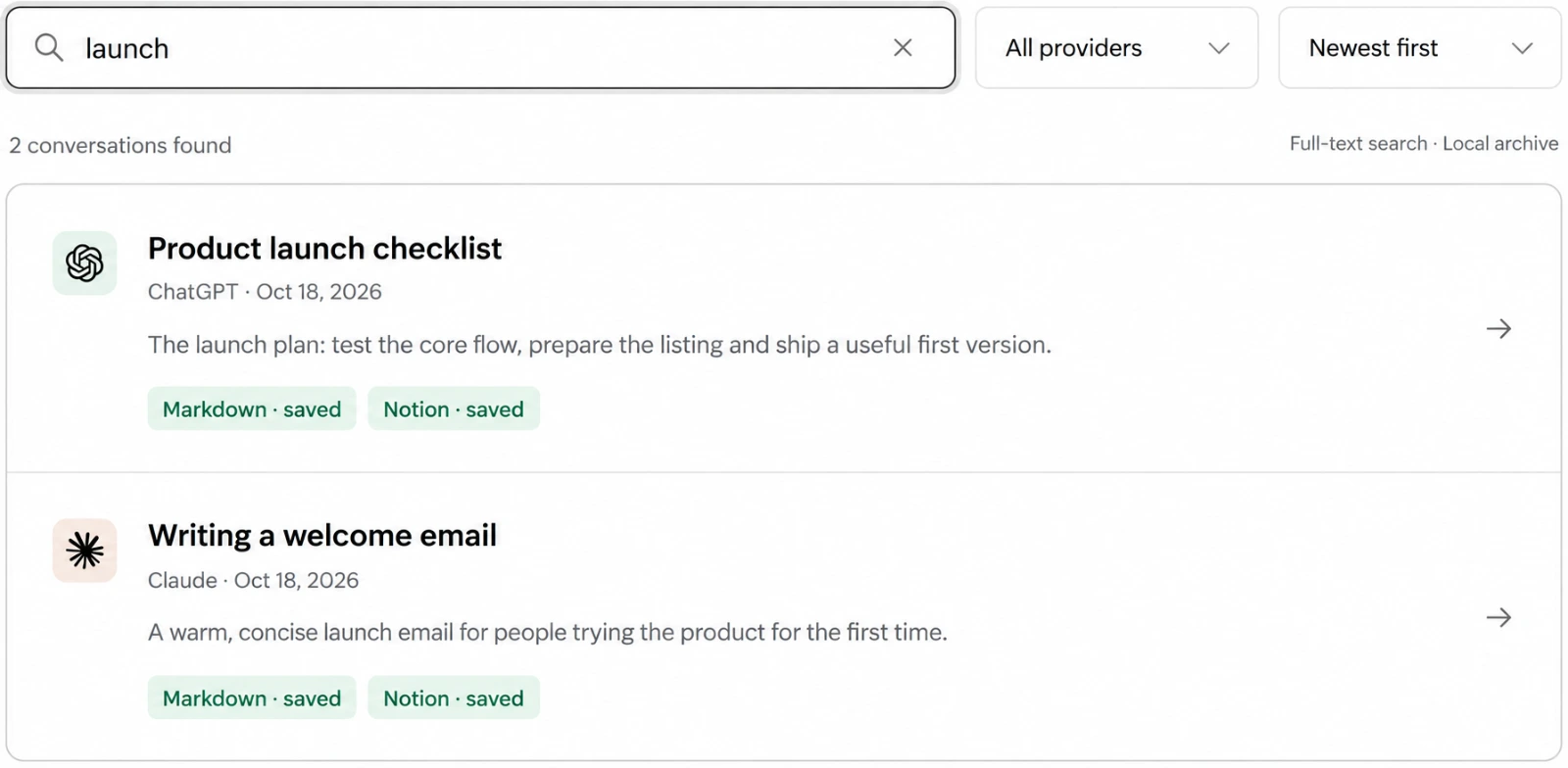
Illustrative product views with example conversations. Your archive stays available even when destination syncing is paused.
Why it exists
Keep an independent copy while the chat is still available. Read it in your browser archive, save plain files on your computer, or send it to your Notion workspace.
Every save starts in your local browser archive. Add a Markdown folder, Notion, or both. If a delivery has to wait, your archived chat stays available.
Every saved conversation is kept in a local archive inside your browser. Browse it any time, even offline.
Pick any folder or your Obsidian vault. Each conversation becomes a note you can open in any editor.
Choose Connect Notion and approve the AI Chat Log template. Chatlog finds your database and keeps the connection for next time.
Chatlog reads each site through your signed-in session. No API keys.
| Auto-save new chats | Save conversation | Import export files | |
|---|---|---|---|
| Claude | Yes | Yes | Yes |
| ChatGPT | Yes | Yes | Yes |
| Grok | No | Yes | Not yet |
Automatic saving requires Chrome to be open, site access allowed and a signed-in session. Import older ChatGPT and Claude chats from official export files in Settings. Grok saves visible text only and is marked as a partial capture.
Saved
Know the limits
Private by design
1
Connect a Markdown folder or Obsidian vault, or choose Connect Notion and approve the AI Chat Log template. A folder is optional for Notion-only setups.
2
Sign in to Claude and ChatGPT in the same Chrome profile, allow site access in Chatlog, then refresh those tabs once.
3
Turn on automatic saving for new and continued chats. Use Save conversation or Sync to Notion for the open chat. Bring older chats in through Capture & history in Settings.
Start your 14-day trial with no card.
Chrome Store listing coming soon.
Start in Chrome
Already have conversations?
Open a chat and choose Save conversation. For older ChatGPT or Claude chats, import an official export in Settings → Capture & history.
Chrome handles extension updates automatically.
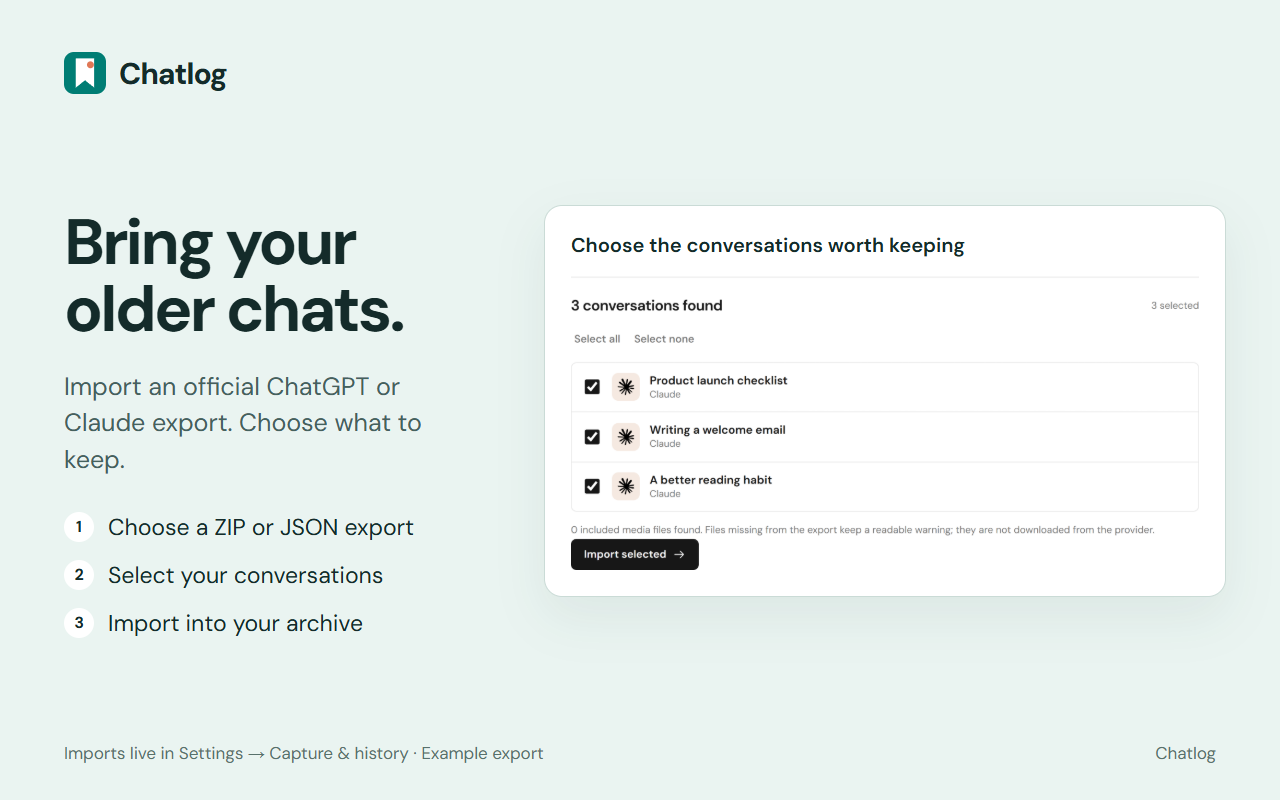
Bring older chats along
Choose an official ChatGPT or Claude export ZIP or JSON file, select the conversations you want, and import them into your local archive. Chatlog does not scan provider history directly.
Try Chatlog for 14 days, with no card. A lifetime license is what keeps automatic saving going after those 14 days.
Lifetime license
$59
One payment, plus applicable tax. No subscription.
One payment. No subscription. The trial needs no card. Full pricing details
The trial
Chatlog keeps your ChatGPT and Claude conversations in a searchable archive in this browser. Connect a folder for Markdown or Obsidian, connect Notion, or use both. Grok supports manual visible-text saves.
Every saved chat is archived locally in this browser. Copies go to your connected Markdown folder and Notion workspace when enabled. Browser storage is removed if you clear extension data or uninstall; files already written to your folder and pages in Notion remain.
Yes. With automatic saving enabled, new and continued ChatGPT and Claude activity in connected, signed-in browser tabs is saved while Chrome is open. Use the popup to save an open chat by hand. For older history, download the provider's official ZIP or JSON export and import it locally in Chatlog Settings. Grok is manual only.
ChatGPT and Claude save automatically. Grok chats can be saved by hand. Gemini is not supported.
ChatGPT memory and dedicated Canvas recovery are not supported. Claude artifact source is saved when available and enabled; full interactive previews are not preserved. Files need accessible download data or a matching file in an imported export. Missing content is marked in the saved note.
Choose Connect Notion, approve access in Notion and select the included AI Chat Log template. Chatlog finds the database automatically and keeps the connection in this browser. Each chat becomes a formatted page. You can use Notion without a folder. Conversations go directly from your browser to Notion; the sign-in service handles authorization and token refresh.
14 days from install, no card. New chats save with no limit. Importing past chats is limited to 25 unique chats per supported provider. When the trial ends, automatic saving and bulk import pause. Everything saved stays, and you can still read, search and save single chats by hand.
One payment, no subscription. Up to 5 browsers and updates to Chatlog. Your ChatGPT, Claude and Notion subscriptions are separate.